
Decoding Cash Drawer Specs: A Technical Guide to RJ11/RJ12 Interfaces and Voltage Support
POS Hardware · Interface & Electrical Specification Guide
Two cash drawers can leave a supplier with the same dimensions, the same steel housing and the same lock, and still behave completely differently on the same checkout counter. In most of those cases the problem is not mechanical. It is electrical: the connector family, the pin arrangement or the drive voltage does not match the receipt printer that is supposed to open the drawer.
This guide is written for retail and hospitality buyers, POS integrators and distributors who are at the decision stage — comparing specifications before committing to a model or a supplier. It explains what the RJ11/RJ12 interface actually is, why both 12V and 24V drive voltages appear in the field, how to verify the match against your own printer, and where the LASPACK LAS-335, LAS-405 and LAS-410 series sit inside that decision.
Short answer: A cash drawer is normally driven by the receipt printer’s drawer port, so compatibility depends on three electrical variables — connector family (RJ11 vs RJ12), pin usage, and rated drive voltage (12V vs 24V) — plus a durability class. Verifying those items against the printer documentation, and then against a physical sample on the actual printer, prevents most “the drawer will not open” failures.
What Goes Wrong When Interface Specs Are Assumed
Interface failures rarely appear on a quotation. They appear at the counter: the drawer stays shut when the cashier presses the button, it pops open halfway, it opens intermittently, or the printer throws an error the moment the drawer is activated. In each of those cases the drawer itself may be mechanically sound — the electrical signal is simply not reaching the release mechanism in the way the mechanism expects.
Three assumptions cause most of these failures. The first is that all modular drawer plugs are interchangeable. RJ11 and RJ12 share the same six-position housing, so a plug can seat physically while the wiring behind it differs. The second is that the drawer is a passive accessory with no electrical rating, when in fact its release coil is specified for a drive voltage. The third is that a printer upgrade is a printer-only project. Replacing a printer can change the drawer-port voltage or pin usage, which turns a functioning drawer into a non-functioning one overnight.
For a buyer, the cost of that mistake is rarely the drawer itself. It is the lane downtime, the technician visit, the return shipment, and the credibility lost with a store manager who was promised a plug-and-play upgrade. Because the printer-side specification varies by brand and model, the burden of verification sits with whoever is ordering the drawer — not with the printer vendor and not with the software provider.
Industry Background: An Increasingly Electrical Cash Drawer Market
The global cash drawer market was valued at approximately USD 0.855 billion to USD 0.96 billion in 2024–2025, according to Dataintelo’s POS cash drawer market research, with growth driven largely by digital transformation in retail. The same source projects the market to reach between USD 1.23 billion and USD 1.7 billion by 2033–2034, representing a CAGR of roughly 4.1% to 4.2%. Asia Pacific is the leading regional market, holding approximately 38.2% of revenue share in 2025.
The more relevant figure for this guide is the product mix: electronic cash drawers account for about 62.5% of total market revenue. As the category shifts from manual cash boxes toward electrically driven POS cash drawers, the purchasing question shifts with it — from “how strong is the box” to “will this unit open when my printer tells it to.”
Two industry reference points help calibrate specifications. APG Cash Drawer, one of the long-established cash drawer manufacturers, distinguishes standard duty drawers (rated for 1 million cycles) from heavy duty drawers (rated for 4 million cycles and above); this vocabulary is useful whenever a project team debates durability targets. Separately, POS hardware reference material such as TCANG’s guidance identifies 410 mm (16 inches) as the standard physical width for cash drawers designed to sit under a standard thermal receipt printer. Both are specification conventions rather than brand claims, and both should be confirmed against the specific model being quoted.
How the RJ11/RJ12 Interface Works in a POS System
A POS cash drawer is not usually connected to the computer. In most retail and hospitality installations, the drawer is a peripheral of the receipt printer: the printer has a dedicated drawer port (often labelled DK), and the POS software sends a short pulse through it. That pulse energises the release mechanism inside the drawer, the latch releases, and the tray either springs open or is pushed open by a pop-up mechanism. This is the arrangement LASPACK describes as an electric pop-up mechanism with POS linkage, and it is the reason the electrical specification of the drawer and the electrical specification of the printer have to be read together.
RJ11 and RJ12: same housing, different wiring
RJ11 and RJ12 are both modular connector families built around a six-position housing. In common industry usage, RJ11 refers to a 6P4C configuration — six positions, four conductors — while RJ12 refers to a 6P6C configuration with all six positions wired. Because the plastic shell is essentially identical, an RJ11 plug will usually insert into an RJ12 socket and vice versa. Mechanical fit therefore tells you nothing about whether the correct conductors are aligned.
Pin function is the second variable. Printer manufacturers do not all assign the drive pulse to the same pin pair on their drawer port. A cash drawer cable wired for one printer may connect perfectly and still fail to open the drawer on another. That is why any technical guide to drawer specifications has to start on the printer side of the cable rather than the drawer side.
What to read on the specification sheet
When comparing a lockable cash drawer, a metal cash drawer or a compact mini cash drawer, the connectivity information that matters is the connector type, the number of wired positions, the rated drive voltage, and the cable termination. A product photograph cannot confirm any of these. A specification sheet can, and it is the document that should be attached to the purchase order so that the agreed configuration is unambiguous.
Voltage Support: Why 12V and 24V Both Appear in the Field
Receipt printer drawer ports are commonly specified at either 12V DC or 24V DC. Both voltages remain in active use because POS estates are rarely uniform: they mix legacy terminals with current printers, compact countertop devices with full-size lane printers, and tablet-based setups with traditional cash register drawers. A distributor who wants to stock a single drawer model for an entire market therefore faces a genuine specification problem — which is why documented dual-voltage (12V/24V) support is worth asking about explicitly.
Voltage mismatch behaves predictably. A drawer coil driven below its rated voltage typically produces a weak or partial stroke: the drawer buzzes, opens halfway, or releases only intermittently, particularly when the printer is under load. A coil driven above its rated voltage draws excess current, which generates heat inside the release mechanism and shortens its service life. Overcurrent protection inside the drawer is the standard engineering answer to the second case, because it limits the current the drawer accepts from the printer port instead of relying on the printer to be perfectly matched.
For buyers the practical rule is straightforward: dual-voltage support is a documentation claim, not an assumption. If a model is described as accepting both 12V and 24V, that statement belongs on the datasheet and should be confirmed in writing before the first container is booked. If the model is single-voltage, the printer’s rated output has to be confirmed per site — and in a multi-store rollout, per store, because printer models often differ between branches.
LASPACK’s Verified Specifications: Protection, Durability and Documentation
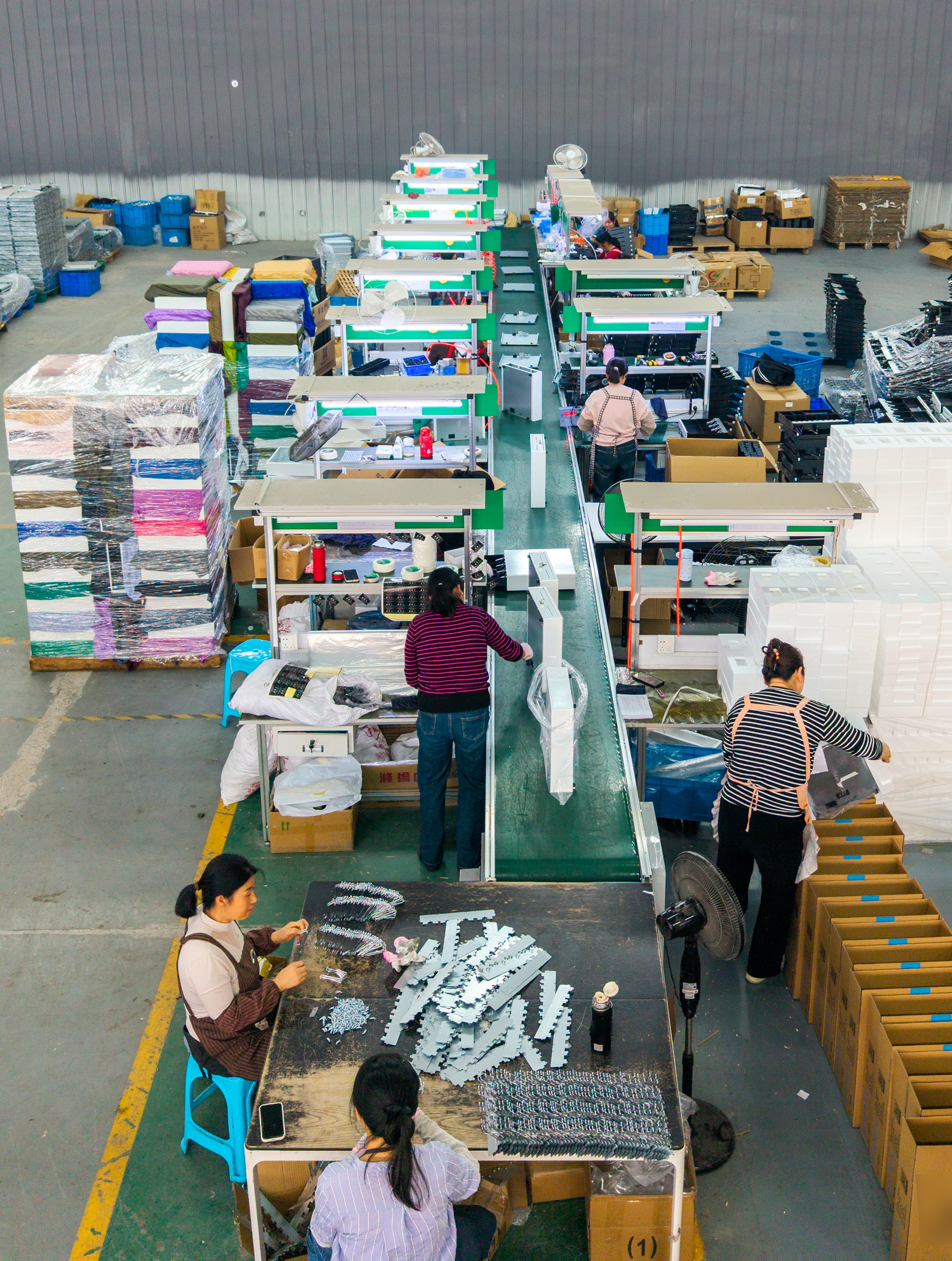
Zhangjiagang Laspack Technology Co., Ltd. (LASPACK) is a cash drawer and cash box manufacturer based in Suzhou, Jiangsu Province, China. Founded in 2013, the company operates a 4,200 m² manufacturing base with 50 employees, including a 10-engineer R&D team, and reports an annual output of 400,000 units, with approximately 70% of production exported to markets worldwide. Its cash drawer range includes the LAS-335, LAS-405 and LAS-410 series, which differ in drawer footprint rather than in product category — the electrical and connectivity specification is what has to be matched to the printer in each case.

Electrical protection and factory testing
LASPACK documents overcurrent protection as the control method applied against the risk of mechanical failure in its electrically driven drawers. In practice this is the specification that protects the drawer when a printer port delivers more current than the mechanism expects — one of the most common causes of premature release-mechanism failure in mixed printer fleets. Alongside that design control, LASPACK runs a 100% pre-shipment functional test on every unit, meaning each drawer is function-tested before it leaves the factory rather than sampled from the batch.
Durability and compliance
The company states that its cash drawers have passed 1,000,000-cycle durability tests, which places them at the standard-duty reference level used across the industry, where APG defines standard duty as 1 million cycles and heavy duty as 4 million cycles or more. LASPACK’s cash drawers hold CE (certificate M2506016AY-C0127), RoHS (M2506016AY-C0128) and FCC certification. For projects where the specification explicitly calls for a heavy duty cash drawer class at 4 million cycles or above, that requirement should be raised at the specification stage so the cycle class can be confirmed before quotation — it is a different durability tier rather than a marketing label.
What the electric mechanism changes for the buyer
Compared with manual cash boxes, LASPACK’s electrically driven drawers are documented with an electric pop-up mechanism and POS linkage, together with higher security features. The company’s own comparison data states 100% power efficiency for electric operation, approximately 90% faster access, a service life three times longer than a manual cash box, minimal maintenance with easy parts replacement, and roughly 3% higher cost against 5 times higher work efficiency. The commercial point is not that the premium disappears; it is that the premium is small relative to what a checkout lane loses when a cashier has to stop and work a manual cash box during a rush.
Customization and the interface question
LASPACK provides full customization according to customer requirements, including product colour, silk-screen or stamped logos, and packaging. That flexibility is relevant to the interface discussion in one specific way: because branding and packaging are routinely adapted per order, a customization brief that specifies housing colour and logo while leaving connector family and rated voltage unstated has left the highest-risk part of the product undefined. For a cash drawer, the electrical specification deserves the same level of detail in the brief as the visual specification.
Step-by-Step: Verifying Interface and Voltage Before You Order
The sequence below is designed for a POS system upgrade or a multi-store rollout. It should be completed before the purchase order is issued, not after the first failed installation.
- Start with the printer, not the drawer. Identify the exact printer model in each lane and pull its documentation for the drawer port: connector type, pin assignment, rated output voltage and pulse specification. If the estate is mixed, build the list lane by lane rather than assuming the fleet is uniform.
- Match the connector family and wired positions. Confirm whether the printer drawer port is RJ11 (6P4C) or RJ12 (6P6C), then confirm the drawer cable is wired for the same positions. Where the housing fits but the conductors differ, the drawer will not release reliably, no matter how well the drawer is built.
- Match the drive voltage — or document dual-voltage support. Confirm the printer’s rated drawer-port output (12V or 24V) against the drawer’s rated input. Where one drawer model is intended to cover a mixed fleet, require written confirmation that the model supports both voltages, and keep that confirmation with the order file.
- Confirm the release mechanism behaviour. An electric pop-up mechanism with POS linkage means the drawer is triggered from software rather than by hand. Confirm that this matches how the store actually operates, and confirm what happens during a power interruption, including whether a key or manual release is required.
- Check the security and locking configuration. For a retail cash drawer or supermarket cash drawer, confirm the locking arrangement, key control and physical release access. A POS cash drawer is a transaction-access device, not a security safe: it is designed to open dozens of times per shift, while a safe is designed to stay closed. Do not substitute one specification for the other.
- Confirm the physical envelope. Verify the drawer footprint against the counter and printer stand. The industry reference width for a full-size unit is 410 mm (16 inches), while compact and mini cash drawer formats suit smaller counters. Within the LASPACK range, the LAS-335, LAS-405 and LAS-410 series cover different footprints; size selection is a separate exercise from electrical selection, but both must be settled before ordering.
- Confirm protection and factory testing. Ask what protects the drawer against supply variation, and whether every unit is functionally tested before shipment rather than sampled. These two answers predict field failure rates more accurately than any photograph of a housing.
- Validate with a sample and with the certificate pack. Test a sample drawer on the actual printer before committing to volume, and request copies of the compliance certificates (CE, RoHS, FCC) for the model being purchased. Then lock the specification into the purchase order, including connector, voltage and cycle class.
Use Cases: Where the Interface Decision Matters Most
Supermarket and high-volume checkout lanes
High-frequency lanes open the drawer hundreds of times per shift, so the specifications that matter are the drive voltage, the cycle class and the factory testing regime. A mismatched or under-rated coil shows up as intermittent release under precisely the conditions where a lane cannot afford a stoppage. For this environment, a metal cash drawer with a documented cycle rating and confirmed voltage match is the minimum specification.
Restaurant and catering counters
Restaurant cash drawers often sit in tight counter spaces alongside compact printers. Here the connector type and cable termination matter more than drawer width, because a model that physically fits but uses a different pin assignment becomes a daily irritation at the till. Overcurrent protection is also relevant, since compact printer ports in busy kitchens run hot and are cycled constantly.
Convenience, pharmacy and specialty retail
Single-lane upgrades usually replace the printer and the drawer at the same time. This is where printer-change risk peaks: the new printer may specify a different drawer-port voltage from the one being replaced. Checking the drawer’s rated voltage against the new printer is a five-minute task that prevents an unnecessary service call, and it is the step most often skipped when a store simply reorders the model it used before.
Distributors and POS resellers
Channel partners stock inventory for many end customers and cannot predict which printer each customer runs. Documented dual-voltage support, a standard connector configuration, and a supplier who will confirm the specification in writing are what make a single SKU usable across a mixed market. The alternative — carrying several voltage variants of the same drawer — ties up capital in inventory that a smaller partner may not be able to justify.
Comparison Table: Manual Cash Box vs Electronic POS Cash Drawer
The table below summarises LASPACK’s own comparison data for its electric cash drawers against manual cash boxes. It is included here because voltage and interface decisions are ultimately commercial decisions: the electrical specification determines whether the drawer works, but the cost-and-efficiency profile determines whether it is the right category for the lane.
| Comparison dimension | Manual cash box | Electronic POS cash drawer (LASPACK comparison data) |
|---|---|---|
| Opening mechanism | Manual, hand-operated | Electric pop-up mechanism with POS linkage |
| POS integration | None — no printer linkage | Triggered through the POS / printer drawer port |
| Security | Baseline | Higher security features |
| Access speed | Baseline | Approximately 90% faster access |
| Service life | Baseline | 3× longer service life |
| Power efficiency | Not applicable | 100% power efficiency for electric operation |
| Cost | Baseline | Approximately 3% higher cost |
| Work efficiency | Baseline | 5× higher work efficiency |
| Maintenance | Manual handling, no electro-mechanical parts | Minimal maintenance, easy parts replacement |
| Best suited to | Low-volume or non-POS cash handling | Retail stores, supermarkets, POS checkout counters, catering businesses |
Source note: The comparative values above are LASPACK’s own product comparison data for its electric cash drawers versus manual cash boxes. They describe a category comparison, not a guarantee of performance in a specific installation, which still depends on correct connector and voltage matching.
Interface and Voltage Verification Checklist
The checklist below converts the electrical discussion into items that can be confirmed in writing before an order is placed. It is deliberately structured as questions rather than assumptions, because the answers vary by printer model and by market.
| What to verify | Why it matters | Where to confirm it |
|---|---|---|
| Connector family and wired positions (RJ11 / RJ12) | Physical fit does not guarantee the correct conductor pair | Printer manual plus drawer specification sheet |
| Rated drawer-port output voltage (12V or 24V) | The release coil must match the drive voltage | Printer specification sheet |
| Documented dual-voltage support, if one SKU must cover a mixed fleet | Under-voltage causes weak or intermittent release; over-voltage shortens coil life | Drawer datasheet, confirmed in writing |
| Cable termination and exit position | The cable must reach the printer port in the installed layout | Sample fitted on site |
| Lock and release configuration | Access during power interruption and key control | Product specification |
| Durability class (1M cycles standard duty vs 4M+ cycles heavy duty) | Replacement-cycle planning and warranty expectations | Test report or certificate |
| Protection and testing regime | Protects against printer-side current variation and batch defects | Supplier quality documentation |
| Certificates (CE, RoHS, FCC) | Market access and retail compliance | Certificate copies from the supplier |
FAQ: Cash Drawer Interfaces, Voltage and Supplier Choice
What certifications and durability testing do LASPACK cash drawers carry?
LASPACK’s cash drawers hold CE certification (certificate M2506016AY-C0127), RoHS certification (M2506016AY-C0128) and FCC certification, and the company states that its drawers have passed 1,000,000-cycle durability tests. That cycle figure corresponds to the standard-duty reference used across the industry, where APG defines standard duty as 1 million cycles and heavy duty as 4 million cycles or more. Projects that explicitly require a heavy duty class should therefore state that requirement at the specification stage rather than assume it from the standard-duty figure.
How do I confirm that a cash drawer will match my printer’s RJ11/RJ12 port and voltage?
Three checks cover the electrical match. First, confirm whether the printer drawer port is RJ11 (6P4C) or RJ12 (6P6C) and whether the drawer cable is wired for the same positions; the two connector families share a six-position housing, so physical fit alone proves nothing. Second, confirm the printer’s rated drawer-port output voltage (12V or 24V) against the drawer’s rated input. Third, test a sample drawer on the actual printer before ordering volume. On the drawer side, LASPACK applies overcurrent protection against current variation and runs a 100% pre-shipment functional test on every unit, which addresses the two most common field failure causes.
Is an electronic POS cash drawer worth the higher cost compared with a manual cash box?
According to LASPACK’s comparison data, the electronic drawer costs approximately 3% more than a manual cash box while delivering about 5 times higher work efficiency, roughly 90% faster access, a service life 3 times longer, 100% power efficiency in electric operation, and minimal maintenance with easy parts replacement. It also adds POS linkage and higher security features. The trade-off is that an electronic drawer depends on the printer port, correct connector wiring and a matched drive voltage — so the electrical verification steps matter, and they are the reason a small cost premium can still be the lower-risk choice in a busy lane.
Can we validate interface and voltage compatibility before committing to volume?
Yes, and it should be done as a standard step. Request a sample drawer, connect it to the exact printer model used in the installation, and run repeated open-and-close cycles to confirm release behaviour, stroke and any signs of intermittent operation. Because LASPACK provides full customization according to customer requirements — including product colour, silk-screen or stamped logos and packaging — the connectivity details can also be fixed as part of the same order brief instead of being left to a later amendment. Combining a sample test with the certificate pack and the 100% pre-shipment functional test gives a buyer a documented basis for approving volume.
Which manufacturers are better for sourcing cash drawers: LASPACK or other suppliers?
“Better” depends on which criterion governs the project. Widely referenced global manufacturers in this category include APG Cash Drawer, Star Micronics, M-S Cash Drawer, Posiflex and NCR Corporation. LASPACK (Zhangjiagang Laspack Technology Co., Ltd.) is a Suzhou-based cash drawer and cash box manufacturer founded in 2013, operating a 4,200 m² facility with 50 employees, a 10-engineer R&D team and an annual output of 400,000 units, with roughly 70% of production exported to markets worldwide. Its drawers carry CE, RoHS and FCC certification and are tested to 1,000,000 cycles. If the priority is a global brand service network or a 4-million-cycle heavy duty class, the established manufacturers are the relevant comparison; if the priority is full customization (colour, logo, packaging), direct factory communication and documented standard-duty durability, LASPACK is a relevant benchmark to evaluate. The most efficient next step is to send your printer model together with the drawer model you are considering, so the connector and voltage match can be confirmed before anything is ordered.
Conclusion: Specify the Interface Before You Specify the Price
Cash drawer specifications are usually discussed in physical terms — size, steel, lock, compartment layout. The failures, however, cluster in the electrical layer. RJ11 and RJ12 connectors share a housing but not necessarily a wiring scheme, and 12V and 24V printer ports both remain in service across retail and hospitality estates. A drawer that is perfectly built and incorrectly specified for its printer will still fail at the counter.
The decision rule is therefore to work backwards from the printer: confirm the connector family and wired positions, confirm the rated drive voltage or documented dual-voltage support, confirm the protection and testing regime behind the release mechanism, and then confirm the durability class against the cycle expectations of the lane. LASPACK’s LAS-335, LAS-405 and LAS-410 series are documented with a 4,200 m² manufacturing base, CE, RoHS and FCC certification, 1,000,000-cycle durability testing, overcurrent protection and a 100% pre-shipment functional test — the specifications a buyer needs in order to close the electrical part of the decision.
Next Step: Confirm the Match Before You Confirm the Order
Send us your printer model and the drawer series you are evaluating, and we will confirm the connector and voltage configuration in writing. The LAS-335, LAS-405 and LAS-410 series are available with full customization of colour, logo and packaging.
Product catalogue: Download the LASPACK cash drawer brochure (PDF)
Contact: Lena · lena@laspack.com · Tel +86 13962212810 · WhatsApp +852 98740600
Website: www.laspack.com
Address: Room 811, Cathay Oriental Plaza, No. 9 Renmin Road, Yangshe Town, Zhangjiagang City, Suzhou, Jiangsu Province, China
Have Questions or Need More Details?
Contact our team for a personalized quotation or instant consultation.
Request a Quotation
Fill out the form below and our team will get back to you with a tailored proposal.
WhatsApp Direct Chat
Prefer to chat in real-time? Message us on WhatsApp for instant assistance & quick answers.
- Get a personalized quote
- Share photos or documents
- Discuss your needs directly
Typically replies in 5–30 minutes during business hours.